Songs delivered as separate music and timecode files
since v0.7.22Some houses hand you two files per song — one with the music, one with nothing but timecode. Thirty songs means sixty files to pair up before you can do anything, and getting one pair wrong means the right timecode over the wrong song. LTCast does the pairing and tells you about anything it is not sure of.
- 1
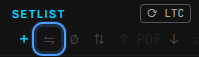
In the setlist header, click the two-arrow button next to +.
- 2
Choose the files — select them all at once, music and timecode together. You do not need to sort them or pair them yourself.

- 3
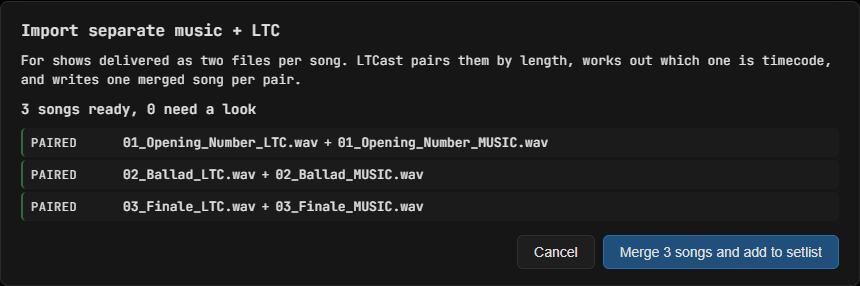
Check the pairing. Each row shows which two files were matched. Anything LTCast is unsure about is listed first with a coloured edge, so you never have to scroll a long list hunting for the problem.
- 4
Pick a folder for the merged songs. LTCast writes one ordinary song file per pair and adds them to your setlist. Your original files are not touched.
Worth knowing
- Pairing is by the exact length of the recordings, not by filename — two files from the same render agree down to the sample, so the delivery can be named anything.
- Which file is timecode is worked out by listening to it, not by the name. A music file with timecode bleeding into it is still paired correctly, and LTCast tells you it saw the bleed.
- Merged files are new files, so plan for roughly the same disk space again. A thirty-song show is around 1.5 GB.
Still stuck? Email [email protected] — happy to help you get a show locked.